| Support Category: Course | Drop/Remove |
| Specialist Notes: |
Should a user request to remove self-assigned training, kindly provide them with the below SR. In the event the user does not have the option to, we have been given permission to archive it for them. If the option is not present for either user or support specialist, kindly escalate.
IMPORTANT! Users are only permitted to remove self-assigned and elective courses. The removal of Mandatory Training or training assigned via the Assignment Tool will need to be escalated to the administrators, as they will have to determine why the user is requesting the training be removed. |
Information on how the course was assigned can be found under View Training Details à Transcript History.
Example of Course Assigned via Assignment Tool
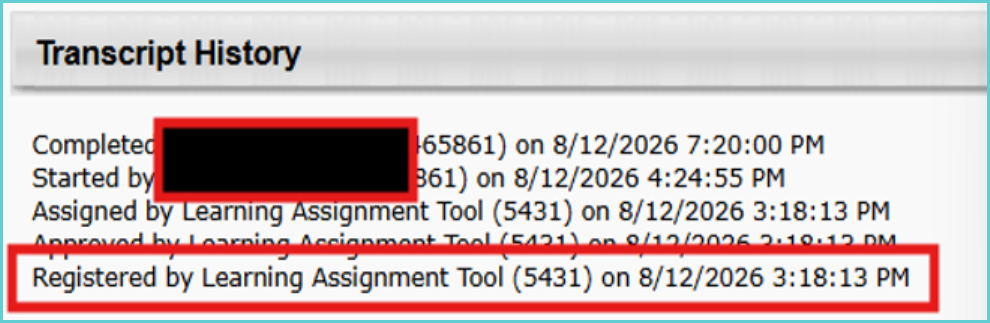
Example of Self Assigned Course
NOTES FOR TICKETS PROCESSORS! If the course is mandatory, please include the user’s reason for the course’s removal in the ticket. |
| Standard Response: |
Unfortunately, you are unable to completely drop/remove courses from your transcript. However, you are able to archive them. Archiving your training removes them from your Active items, so they no longer appear.
To Archive your training, kindly do the following:
- Log into your TMC account and hover over Learning.
- From the drop-down menu select View Your Transcript.
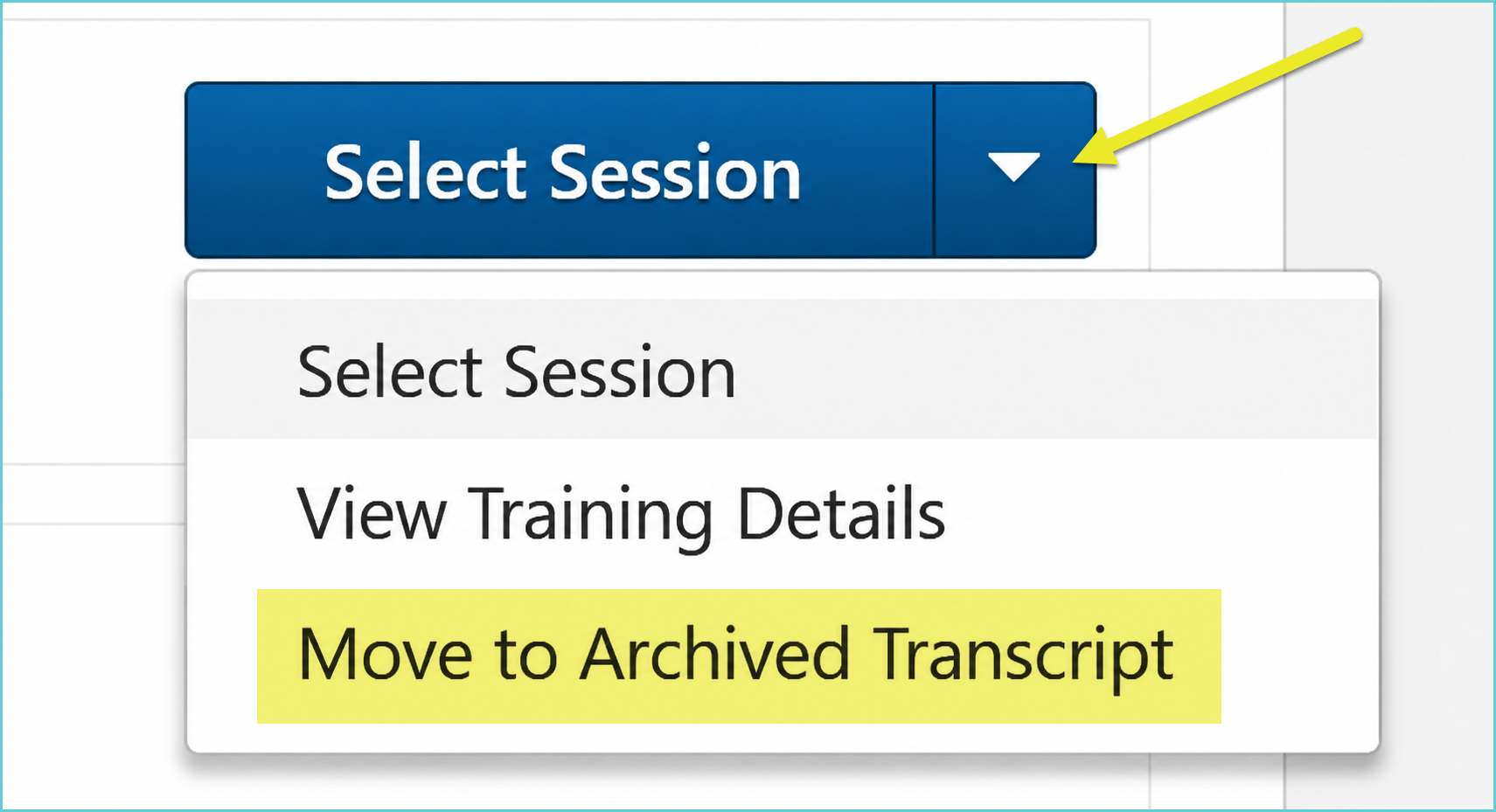
- Find the training you wish to Archive. There will be a blue button to the right of it.
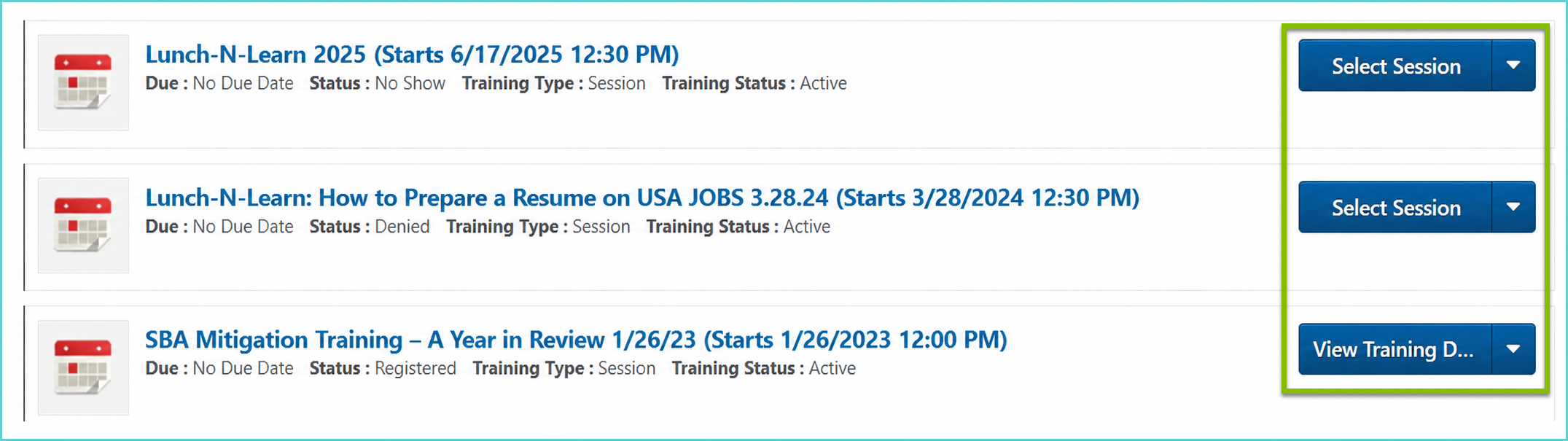
4. Click on the downward arrow on the blue button to expand a drop-down menu and select Move to Archived Transcript.