| Support Category: |
| Specialist Notes: |
Cornerstone and the TMC does allow users to change the font of their electronic signature. Should users request their signature’s font be adjusted, kindly provide the below SR.
| Standard Response: |
To change the font of your electronic signature within the TMC, kindly follow the below steps.
1. After logging into your account, kindly click on the gear icon next to your profile picture on the top-right.
2. From the drop-down, select "My Account."
3. On the "My Preferences" page, scroll to the bottom and find "Select Signature." The drop-down menu presents several font options.
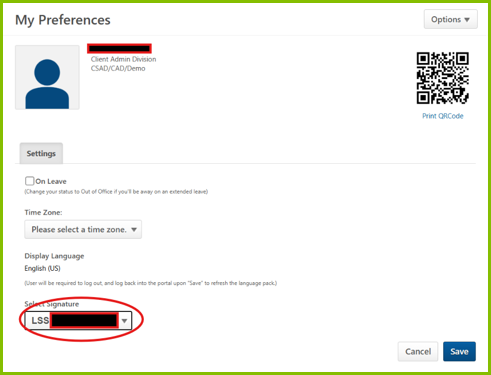
4. Click "Save" to apply your changes.
Should you have any questions or require additional assistance, please let me know.
